Designed one of the 1st AI features at Wrike
Context
Tools like Wrike (collaborative work management) help people managers, project managers, C-suite executives and ICs collaborate in real time to ensure on time delivery of projects.
Problem statement
When notifications arrive as a flat, chronological list, users receiving 6 - 50 alerts a day are forced to manually scan everything to find what matters; causing urgent tasks and deadlines to get buried, and increasing cognitive load
Solution summary
I designed a solution which leverages AI capabilities to understand the context of the notification and it’s task/project and then prioritises it for the user.
Impact
- Carefully engineering the prompt over multiple iteration and testing cycles,
- Prototyping and testing different experiences with users.
1x Product Manager
1x UX Writer
4x Engineers
Solution details
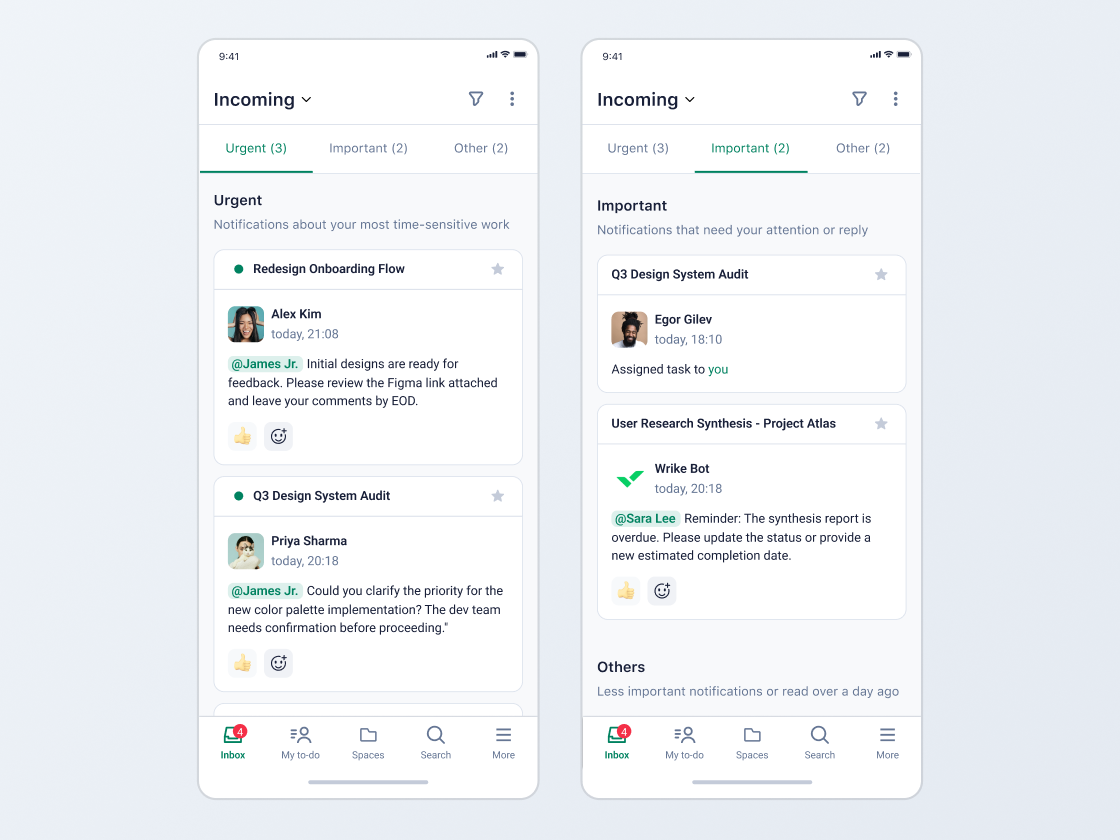
The priority inbox provides users with a simple categorised list of notifications which helps shift the focus from overwhelm to quick action.
When the user opens the app, they would see notifications in 3 buckets.
Highlights time critical items that’s dependent on the user.
Highlights notifications which need the users input but aren’t time critical.
All other notifications which the user can view later are housed in this bucket.
Anchors
The inbox provides category anchors to help users get through the section they want quickly.
Swipe gestures
Each notification can be swiped left to mark as read / unread and swiped right to archive it. This helps users clear items off their list as they complete them.
Onboarding
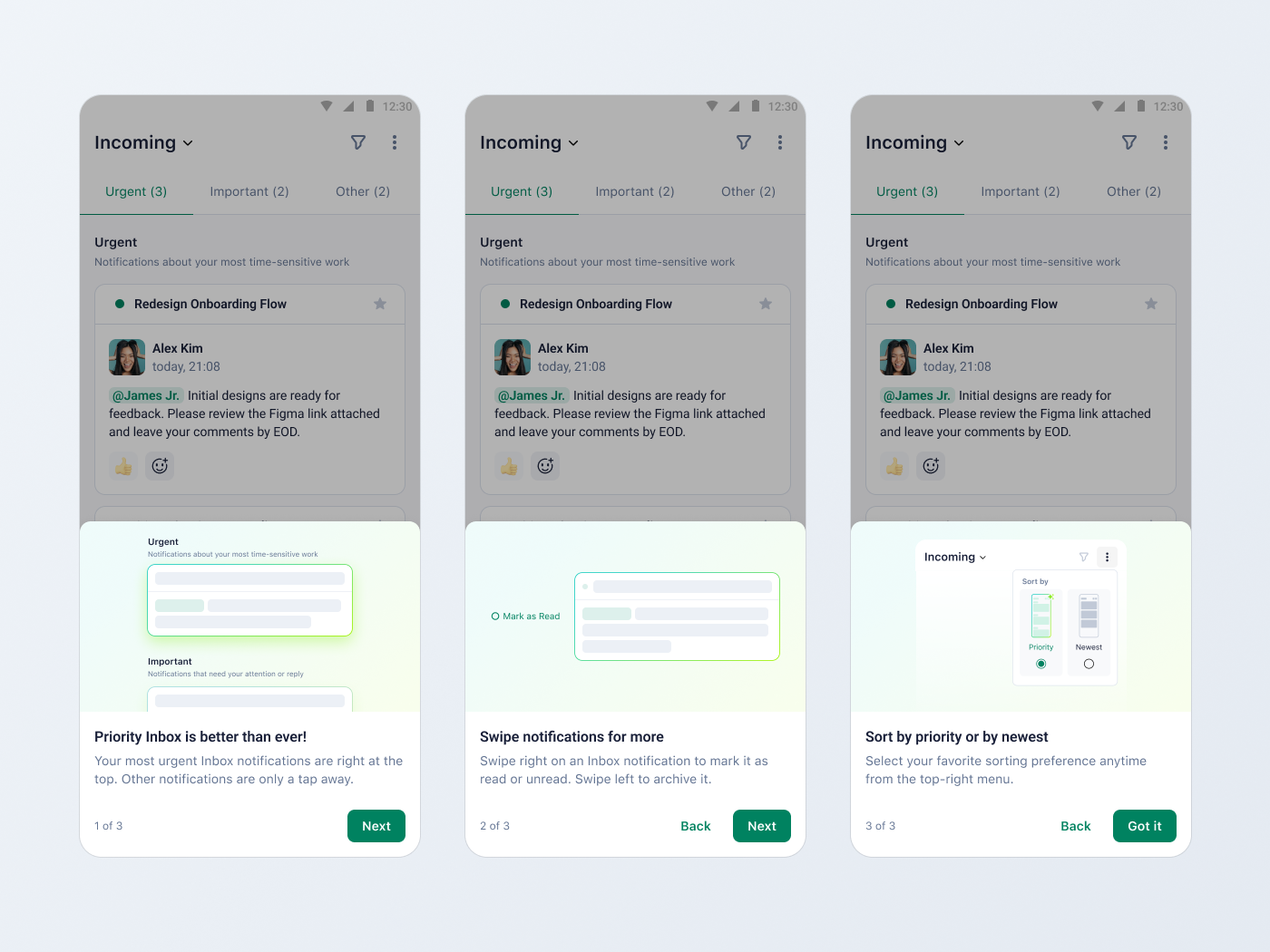
We added an onboarding flow with 3 steps to introduce the feature, the gestures and how to switch between the priority and newest sorting modes
What’s Next?
#1 Better priority handling
The ability to move notifications between priority categories would provide users more control and also help us understand where our prioritisation is failing.
#2 Continuous prompt improvement / ML model considerations
We have identified certain scenarios where the AI isn’t able to provide accurate results. The next step is to identify where we can leverage ML models to filter and provide a more focused list to the AI along with prompt improvements.
#3 Personalisation
Enabling users to set custom rules for prioritisation through an open input field.
#4 Scaling the scope of prioritisation
Few of our users indicated that they have certain system & custom fields which they use to prioritise tasks rather than solely relying on notifications (which rely on collaboration from team members). The next step here would be to help prioritise user’s tasks and not just their notifications.
and more...